If you’re thinking about connecting your ERP to an inventory and demand planning platform, one question usually comes up: What happens to our data?
It’s a fair question and should be answered directly rather than buried in a paragraph in a security appendix. The following guide clearly outlines how Netstock connects to your ERP, who owns and controls your data, how it is used and protected, what happens if you leave the company, and the good data habits that will lead to the best results. All of this is set out in plain language so that you can pass it on to your IT team, your security reviewers, or anyone else who needs to know the facts.
In short: You own your data in Netstock, including the forecasts, recommendations, and reports it generates. Your ERP remains your system of record. Netstock works from a daily copy to plan, and nothing is processed in your ERP until your team approves it. You decide who can access your data, and 90 days after you leave, it’s permanently deleted.
Key findings
- You own your data. You retain ownership of the files you provide to Netstock. Data processed or generated through the platform is handled in accordance with Netstock’s terms.
- Your ERP remains your system of record. Netstock works from a daily copy of your ERP data. It doesn’t replace your ERP.
- Nothing is processed in your ERP without your team’s approval. Recommended orders arrive in your ERP as pending orders and go through your normal approval workflow.
- Netstock doesn’t reach into your network. The connector on your ERP server sends data out and collects files on a schedule.
- Data syncs nightly, with extra refreshes when required. Netstock extracts data from your ERP automatically every night, and an administrator can run an extra refresh at any time.
- Your data is kept completely separate and treated as confidential. Every customer gets their own app and database instance, and your data is classed as confidential information under Netstock’s terms.
- You control who gets in. Manage access for your own users by location, while Netstock’s support team uses secure login credentials to access your system when providing support.
- Netstock is open about how data improves the platform. Anonymized customer data helps improve Netstock’s models. Anything shared beyond your own service is de-identified and aggregated, and never identifies your business.
- Netstock is ISO 27001-certified and externally audited every year.
- If you cancel, your data is deleted. You can request a copy of the files you provided within 30 days of cancellation. This excludes data processed or transformed in our database. All data is permanently deleted after 90 days.
- Good data in means good forecasts out. Netstock checks your data at every stage and shows you which issues to fix first.
How does Netstock connect to your ERP?
Netstock is a purely cloud-based product, allowing your team to use it through a web browser on any device without having to install anything on their computers. Each night, Netstock automatically pulls the inventory data from your ERP and, if necessary, an administrator can carry out an additional refresh.
How does data get from your ERP to Netstock?
The details depend on your ERP and how you’re set up. Here are the two most common routes, both built on secure, file-based data exchange.
Through the Netstock connector (for ERPs running on your own servers):
- A small connector is installed on your ERP server. It extracts data from your ERP and saves it as CSV files, a simple, widely used format for tables of data.
- The files are compressed and sent over SFTP (Secure File Transfer Protocol), which encrypts data while it’s moving between systems.
- A secure cloud server passes the files on to your own dedicated Netstock instance.
- Netstock checks that the files arrived complete and unchanged before importing anything, by comparing digital fingerprints (MD5 checksums) of each file.
The connector does all the reaching out. It sends your data to Netstock and checks every minute for files waiting to come back, such as approved orders. Your IT team only needs to allow outbound connections from your ERP server on ports 80 and 443, and a proxy server can be used if you prefer. The connector runs under your server’s system account rather than an employee’s login, so it keeps working when passwords change or people move on.
Through your own SFTP server or Azure File Share:
- Your systems place CSV files in a designated folder on your SFTP server or Azure File Share.
- Netstock’s Data Orchestration Service collects the files and checks their structure.
- The data is held in a secure staging database, then imported into your Netstock instance.
- Netstock publishes output files back to a separate folder on your server, including orders, transfers, logs, and reports.
With this route, your data stays in its designated region. Netstock runs a separate orchestration service in each region, so customer data is never shared across regions, and staging databases are isolated within their region too. Your login details and access tokens are stored in a secure vault. Because the SFTP server or Azure storage is yours, securing it is your team’s responsibility.
How often does Netstock sync with your ERP?
Netstock refreshes your data automatically every night. Most businesses schedule the extraction after close-of-day posting in the ERP, when the day’s numbers are final. A typical extraction takes 5 to 15 minutes, and for most businesses, one refresh a day is enough.
If you need ERP changes in Netstock sooner, an administrator can run a Full Refresh from System > Data refresh. It’s worth picking your moment. Your team can keep working while data is coming in from the ERP, but once processing starts, users are logged out until the update is complete. Depending on how much data you have and how you’re integrated, this can take several hours, so a quiet time of day is best.
Does Netstock plan from live ERP data?
No. Netstock works with your most recent data, either from the nightly sync or the last full refresh. Anything that happens in your ERP after that appears in Netstock at the next refresh. This gives Netstock a complete, consistent picture to plan from, while your ERP continues to run your day-to-day transactions.
Who owns your data, and is your ERP still the system of record?
You own your data. Under Netstock’s terms, customers keep ownership of the data they provide.
Your ERP also remains your primary system of record, meaning the single, authoritative source for your business data. Netstock works from a daily copy of your ERP data. It doesn’t replace your ERP.
Think of Netstock as the place where planning happens. It uses your products, stock levels, sales history, suppliers, and open orders to generate forecasts and recommended purchase orders, work orders, and transfers. Your ERP remains where the business actually runs.
In practice, this means three things:
- Corrections happen in your ERP. If there’s a data problem, you fix it at the source and reprocess the import. You don’t patch it in Netstock.
- Your ERP is the reference point. If a number in Netstock looks different from your ERP, it’s almost always timing: something changed in the ERP since the last refresh.
- Transactions are processed in your ERP. Netstock recommends what to order. Your ERP, and your team, decide what happens next.
How do orders get back into your ERP?
The details depend on your ERP, but one rule is the same everywhere: your team reviews orders in Netstock first, and nothing is processed in your ERP until someone approves it.
There are four ways orders get back into your ERP:
- Direct automated integrations for ERPs such as NetSuite, MYOB Advanced, DEAR, Unleashed, and Microsoft Dynamics 365 Business Central. Your team reviews and amends orders in Netstock, then presses a button to push them into the ERP.
- Custom upload integrations for ERPs such as Exo, Pronto, and SAP Business One. These are built with an ERP partner. Once they’re set up, a button press uploads orders directly to the ERP.
- Specialized partner integrations for ERPs such as Cin7. These are developed with the partner’s team and also send orders back with a button press.
- Local download for Sage and other ERPs. Your team downloads the recommended purchase orders from Netstock, then imports them into the ERP or processes them manually.
With the first three options, orders arrive in your ERP as pending orders, complete with item codes, costs, supplier details, order dates, and due dates. They then go through your standard approval workflow, just like any other order.
How does Netstock use your data?
Your data is used first and foremost to run your Netstock service: your forecasts, policies, and recommendations. Netstock also uses customer data to improve the platform, including training and testing the models behind its recommendations, and to develop new features and products.
Netstock may also combine de-identified data from many customers to create industry benchmarks, trend reports, and data products. These never identify your business or any individual, and Netstock is contractually committed never to try to re-identify them. This pooled, anonymous view is part of what makes Netstock’s recommendations stronger for every customer.
What doesn’t change: your data remains yours, it’s treated as confidential information under Netstock’s terms, and Netstock doesn’t sell personal data.
Who can access your data, and how is it protected?
Netstock’s security approach comes down to three things: keep each customer’s data separate, keep it encrypted, and keep access tightly controlled.
Your data is isolated from other customers
Every Netstock customer gets their own app instance and their own database. Each instance has its own unique web address, so login details for one customer’s instance simply won’t work on another’s.
You decide who sees what
Netstock has two types of users:
- Client Administrators have full access to all locations, settings, and user management.
- Restricted Users can only work in the locations you assign them, with full, read-only, or no access per location.
You can add two extra layers of protection:
- Two-factor authentication, where users confirm their login with a one-time PIN.
- Single sign-on (SAML), which lets your IT team manage access with your own company’s login rules.
Accounts lock after repeated failed login attempts, and sessions log out automatically after a period of inactivity.
Netstock staff need your permission
The app has an option which enables you to either allow or prevent access by Netstock’s Customer Success team. When access is allowed, a one-time password is required for each visit and this password expires after a short period, and each access is recorded. Your administrator can examine those logs at any time.
Netstock collects very little personal data
The personal data Netstock collects is typically limited to your users’ names and contact details, which it uses to run the platform and support your team. Netstock doesn’t sell personal data, and where data protection law requires it, Netstock signs a Data Processing Addendum setting out how personal data is handled.
Your data is encrypted in transit
The data transmitted from your ERP to Netstock is encrypted using strong key pairs. When your team accesses Netstock, the connection is also secured over the wire, the same standard that your bank’s website uses. Backups of your data are stored and transferred in an encrypted format.
Netstock is independently certified
Netstock is ISO 27001 certified. ISO 27001 is the international standard for managing information security. Netstock conducts internal audits throughout the year and an external audit annually to maintain the certification. The certificate is available on request. The app also undergoes both internal and external penetration testing, in which security specialists deliberately try to find weaknesses before anyone else does.
Security is a shared responsibility
Netstock looks after the platform, and your team looks after its side of the setup. That means using strong passwords and two-factor authentication, removing access promptly when people leave, keeping your connector server and network secure, and reporting any security incident to Netstock within 24 hours.
How long is your data kept?
While you’re a customer, Netstock backs up your data every 24 hours. Backups are kept for 14 days and stored in a separate location, so a problem at one site can’t affect both your live data and your backups. Because your ERP remains your system of record, your master copy of the data always stays with you.
What happens to your data if you cancel Netstock?
If your Netstock subscription ends:
- You can request a copy of your data within 30 days. Netstock provides it in a standard machine-readable format, meaning a common file format that other systems can read.
- Netstock keeps your data for 90 days, then permanently deletes it.
- De-identified, aggregated data and platform usage data, such as logs and usage statistics, may be kept.
Any copies held in routine backups remain protected by the same confidentiality terms. Tip: if you’re planning to leave, request your copy early so it’s well inside the 30-day window.
Can you export your data while you’re a customer?
Yes. Day-to-day, your team can download tables, reports, and orders directly from the app. If you need a full extraction of your data, you can request one with 28 days’ written notice. Under Netstock’s terms, full extractions are charged at current rates.
What data quality does Netstock need, and how does it flag problems?
Netstock is only as good as the data it receives. Its forecasts and recommendations are built on your ERP data, so good data habits make a real difference. Your team is responsible for the accuracy of the data you send. Netstock’s onboarding includes help with validating your data, and extra data-cleaning support is available if you need it.
The data habits that matter most:
- Use one consistent unit of measure. All stock quantities should use a single unit, usually your stocking unit, small enough to avoid decimals. Any conversions, like cases to units, happen during extraction.
- Keep lead times accurate. Lead times are critical to good replenishment. The best source is your ERP’s stock records, followed by supplier records. They can also be maintained in Netstock, or calculated from your completed purchase order history.
- Keep your master data clean. That means correct cost prices, stocking indicators (stocked, non-stocked, or obsolete), and preferred suppliers.
- Stay on top of overdue orders. Netstock flags overdue sales and purchase orders as a high-priority issue to resolve.
How Netstock catches data issues
Netstock checks your data at four stages:
- Before import: a regional data validation service (Asia-Pacific, Europe, or the US) checks that your files are correctly formatted.
- On arrival: file fingerprints are checked to confirm nothing was lost or changed in transit.
- During import: if a file fails, Netstock shows an import error with details of which file or process caused it, so you can fix it in your ERP and reprocess.
- After import: the Data Quality report gives you an overall score and breaks it down by stock, locations, products, bills of materials, orders, and sales.
The report also shows the issues to fix first, because they have the biggest impact on your results:
- cost prices of zero or less
- negative stock on hand
- items with no lead time or no supplier
- bills of materials that loop back on themselves
- overdue sales and purchase orders
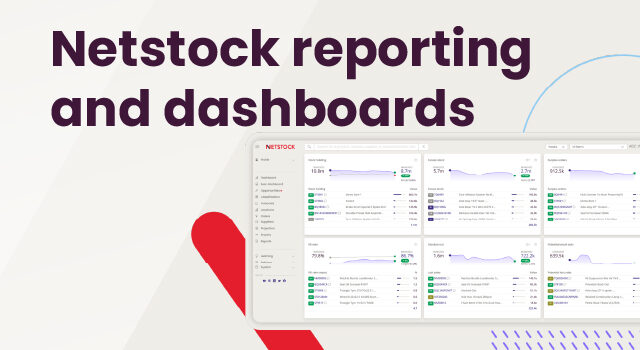
Once forecasts are running, variance panels highlight items where sales are running well above or below forecast. This lets your team manage by exception instead of checking every SKU.
The bottom line: Your data, your control
Handing your data to any software provider is a matter of trust, and it should be an informed one. With Netstock, you own your data, and your ERP remains your system of record. Data syncs every night, it’s encrypted in transit, and it’s kept completely separate from other customers. Recommended orders only reach your ERP as pending orders for your team to approve. You decide who can see your data, Netstock’s own team can only access it with your permission, and Netstock is upfront about how anonymous, pooled data helps improve the platform. When you leave, you can take a copy with you, and your data is deleted.
What you get in return is a planning platform working from a clean, complete copy of your data every day, with clear signals when something needs attention.