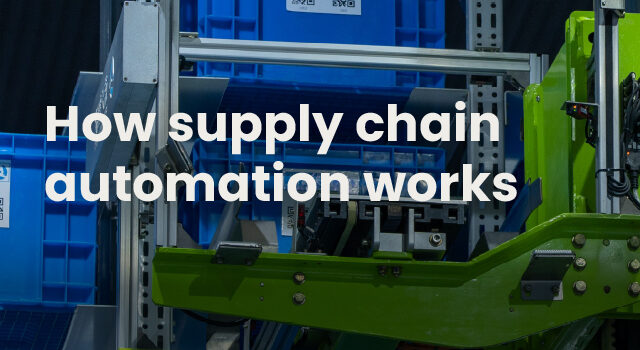
In simple terms, supply chain automation refers to the use of software, AI, and connected devices to enhance and streamline planning, procurement, and logistics tasks with minimal human intervention. It spans everything from AI-generated purchase orders to warehouse robots picking items off shelves. For planning teams, automation changes the job itself. Instead of compiling data and running calculations manually, planners review exceptions and make strategic decisions while the system handles routine work.
In the industry, you may see “automation” and “AI” used interchangeably. While they are different, they go hand in hand, but that’s a discussion for another day. Today we’re going to focus the lens and highlight automation delivered by AI-powered solutions. These technologies include process and decision automation in the form of planning, analysis, and execution.
Key takeaways
- This article is primarily for inventory and supply chain planners. It covers how automation works across supply chain functions, what it changes for planners and buyers, and how to evaluate and implement automation software.
- Automation in supply chain operations pulls data from your ERP, analyzes patterns, surfaces recommendations, and triggers actions like purchase orders.
- The biggest shift for planners is moving from manual data gathering to exception management and strategic decision-making.
- Common software-based automation use cases include demand forecasting, inventory replenishment, supplier communication, and warehouse operations.
- Successful implementation starts with auditing current processes, defining specific outcomes, and selecting technology that integrates seamlessly with your existing ERP.
What is supply chain automation?
Supply chain automation is the use of software, robotics, and connected devices to execute manufacturing, logistics, and inventory tasks with minimal human oversight. The term covers everything from AI that forecasts demand to robots that pick orders in a warehouse.
Though this definition is quite broad, for planning teams, the reality and application are considerably narrower. Supply chain automation solutions typically fall into two categories:
| Process automation | Decision automation | |
| What it does | Handles repetitive, rules-based tasks | Uses AI to analyze data and recommend/execute decisions |
| Example | Data entry, purchase order creation, report generation | Reorder points, safety stock levels, opportunity analysis |
Physical automation, which includes warehouse robots and IoT sensors, applies more to logistics than to planning. Most mid-market businesses start with process and decision automation before investing in physical systems.
Benefits of supply chain automation
The business case for automation centers on measurable outcomes:
- Reduced manual effort: Eliminates repetitive data entry, spreadsheet maintenance, and report generation, saving hours each day.
- Improved forecast accuracy: AI adapts to demand patterns faster than manual methods, improving fill rates by +15%
- Lower inventory carrying costs: Right-sized inventory frees up working capital, reducing inventory costs by hundreds of thousands of dollars.
- Higher service levels: Fewer stock-outs mean better customer retention and confidence when it comes time to scale
- Faster response to disruption: Real-time visibility enables quicker adjustments when supply or demand shifts
How automation in supply chain operations works
Specifics aside, automation typically impacts the business in four distinct phases. First, the chosen system pulls inventory, sales, and supplier data from your ERP. Planners that are exploring automation in the form of AI and supply chain planning solutions for the first time need to be mindful from the start. It’s in this initial phase that things can begin to get messy. Without clean, connected data, automation produces unreliable outputs.
Once the data flow has been initiated, AI and machine learning analyze the inputs to identify patterns. The system detects demand trends, flags items at risk of a stock-out, and spots supplier performance issues early.
Based on that analysis, the system turns insights into action. It either surfaces prioritized recommendations for human review or triggers actions automatically. A replenishment system might generate a purchase order when inventory drops below a calculated threshold. A forecasting tool might adjust demand projections when it detects a shift in buying patterns.
Finally, resulting actions, whether automatic or manual, feed back into the system. The automation learns from outcomes and refines future recommendations.
| Stage | What happens | Example |
| Data integration | System pulls data from ERP | Sales history, on-hand inventory, open POs |
| Analysis | AI identifies patterns and risks | Detects rising demand for SKU-1234 |
| Recommendation or action | System suggests or executes a decision | Generates PO for 500 units |
| Feedback loop | Results refine future outputs | Adjusts forecast model based on actual sales |
Examples of supply chain automation across business functions
As noted, automation applies differently depending on the function. Here are the most common use cases.
Inventory optimization and replenishment
Automated inventory replenishment software calculates reorder points and safety stock levels based on demand forecasts, lead times, and service level targets. Instead of manually reviewing spreadsheets to decide what to order, planners receive prioritized recommendations.
Systems like Netstock can generate purchase orders automatically when stock falls below a certain threshold. Recommendations are presented for human approval, which works well when planners want to retain control over supplier relationships or order timing.
Demand forecasting and planning
Automated forecasting uses historical sales data, seasonality patterns, and sometimes external signals to predict future demand. The system continuously updates projections as new data arrives.
The hidden cost of spreadsheets can be steep; forecast too high, and the warehouse is filled with slow-moving stock. Forecast too low, and you risk losing sales and hurting customer satisfaction rates. This risk is partially triggered by the fact that traditional spreadsheet forecasting might update monthly or quarterly. Automated systems, on the other hand, flag forecast exceptions daily, alerting planners when actual demand diverges from predictions.
Supplier communication and procurement
Automation extends to supplier management through automated scorecards, lead time tracking, vendor risk analysis, and AI-generated communications. When a shipment runs late, the system can draft an email to the supplier requesting an update.
This cuts down the back-and-forth that slows buying cycles. Planners spend less time chasing status updates and more time actually managing supplier relationships, getting to the bottom of things like drifting lead times and partial shipments.
Warehouse and logistics operations
As previously noted, most SMBs start with planning and procurement supply chain automation solutions before expanding into physical warehouse systems. Still, these possibilities are important to be aware of.
Physical automation in warehouses includes barcode scanning, automated storage and retrieval systems, and robotic picking. Route optimization software plans delivery schedules to minimize transit time and fuel costs.
What supply chain automation changes for your operations
Understanding what automation is matters less than understanding what it does to your daily work. With the right tools and technologies, businesses can experience:
Faster and more accurate planning cycles
Planners traditionally spend significant time gathering data: exporting reports from the ERP, reconciling spreadsheets, and manually calculating reorder quantities. Automated inventory management compresses this work from days to hours and even minutes. Time savings allow businesses to keep teams lean, even as they scale.
“A large order could have taken me three to five hours. Now it takes 20 to 30 minutes.” – National Beauty Distribution
Reduced stock-outs and excess inventory
Automation identifies risks earlier than manual review, allowing businesses to cut stock-outs by 89% while boosting fill rates. A system monitoring thousands of SKUs daily will catch a stock-out risk weeks before a planner reviewing items monthly would notice.
The same applies to excess. Automated systems, which have been shown to reduce inventory costs by 50%, flag slow-moving inventory before it becomes obsolete, giving teams time to discount, redistribute, or return stock.
Better use of ERP data
Most companies have years of valuable data sitting in their ERP systems. The challenge is extracting insights from that data quickly enough to act on them.
Automation tools integrate with your ERP and process that data continuously. They surface recommendations based on what’s actually happening in your business, not what happened last quarter when someone last ran a report.
On top of this, they make the wealth of data hiding in ERPs easier to explain and act on.
“The visual nature of Netstock made it easy to explain and communicate demand and inventory management policies and concepts to the entire organization,” says Mike McMullen, of Starkey, a global hearing technology company based in Minnesota.
“We gave read-only access to several key stakeholders, and they were able to use it with minimal training. As a result, we were able to improve coordination of distribution requirements and production plans while eliminating the time that was previously wasted by preparing and distributing spreadsheets.”
How planner and buyer roles evolve
Automation changes the planner’s job, but it doesn’t eliminate it. Planners become reviewers and decision-makers rather than data compilers. They focus on the items that require human judgment while automation handles routine calculations.
Outside of the planning department, the benefits of automation have been shown to trickle down. Bargreen Ellingson, which once had warehouse managers struggling through manual processes and backorders, has seen a shift in everything from a $2 million reduction in excess inventory to improvements in warehouse team morale and process ownership.
“A surprising yet valuable outcome has been the positive impact on our internal culture. Our warehouse managers feel more empowered and effective in their roles, and they experience a genuine sense of accomplishment from using Netstock.” – Bargreen Ellingson
How to implement supply chain automation
1. Audit current planning and fulfillment processes
Before rolling out any type of automation or supply chain planning software, you need to identify where manual effort is highest and where errors or delays occur most frequently. Map existing workflows so the following steps go smoothly.
2. Define the outcomes you want to automate
Be specific about goals. “Reduce stock-outs by 20%” is actionable. “Be more efficient” is not.
If you don’t know how to start setting goals, try asking yourself these questions:
- What are the biggest supply chain challenges direct reports bring to their managers?
- How often is each warehouse experiencing stock-outs?
- How long does it take a planner to review, set, and refine policies each month?
- What department is consistently behind on their work?
- How often are suppliers late on deliveries?
3. Prioritize high-impact use cases
Start with the areas that offer the greatest return. Demand planning and replenishment automation often deliver fast payback compared to broader supply chain overhauls.
4. Select technology that integrates with your ERP
Ensure the automation platform connects to your existing ERP system. Pre-built integrations reduce implementation time and risk. On top of that, they mitigate instances of resistance when it comes to using new tools because users can trust that the data fed into the systems is accurate.
5. Roll out in phases and train your team
Avoid big-bang implementations. Pilot with a subset of SKUs or locations, validate results, then expand.
Keep in mind that even a pilot phase can deliver results. For Cut-n-Weld, just five months delivered a 39% reduction in stock-outs. Early wins like this build organizational support for broader automation.
6. Measure results and expand automation
Track metrics like planning cycle time, forecast accuracy, stock-out rate, and inventory turns. Use results to justify expanding automation to additional functions.
Common challenges when automating supply chain processes
Automation delivers results, but implementation comes with obstacles worth anticipating:
- Data quality issues: Automation is only as good as the data feeding it. Messy (duplicate, disorganized, etc.) ERP data produces unreliable recommendations.
- Integration complexity: Connecting automation tools to existing ERP and warehouse systems requires planning and sometimes custom configuration.
- Change management: Teams accustomed to spreadsheets may resist new workflows.
- Upfront investment: Software, implementation, and training require budget allocation before ROI materializes.
How to choose supply chain automation software
Choosing a solution built around your business’s specific pain points, not just a list of features, helps avoid challenges from the very beginning.
ERP integration and data quality
Seamless integration and preservation of data quality ensure that automations are based in reality. The right software pulls data from your ERP and pushes recommendations or orders back. Ask vendors about their integration library and typical implementation timeline.
Ease of use for planners
Before any type of supply chain automation can deliver value, it needs time to work. Complex tools with steep learning curves slow adoption, which delays ROI. Look for intuitive dashboards that surface actionable insights without requiring data science skills.
AI capabilities and transparency
In a world full of hype and AI buzz, knowing the mechanism behind an AI solution for supply chain planning is essential. Evaluate whether the AI explains its recommendations or operates as a black box. Planners benefit from understanding why the system suggests a specific action.
Time to value and ROI
Ask how quickly the software can be operational. Some platforms deploy in weeks rather than months. Using an ROI calculator can help set realistic expectations and strengthen your business case.
The role of AI in supply chain automation
AI takes automation beyond simple rule-based triggers. Where traditional automation follows predetermined rules (“order when stock drops below X”), AI for supply chain optimization analyzes patterns and adapts recommendations based on changing conditions.
Prioritizing the critical issues that matter most
It’s common knowledge that you can’t find a needle in a haystack, yet many teams try to spot problem SKUs amid hundreds of similar items. Searching for issues will never enhance visibility. It will always waste valuable time.
AI enhances supply chain visibility by scanning thousands of SKUs and surfacing the small percentage of items that require immediate attention. This prevents planners from drowning in data while missing high-impact opportunities or risks.
Automating purchase orders and replenishment decisions
AI-powered replenishment solutions calculate optimal order quantities and timing based on demand forecasts, lead times, and safety stock levels. They can generate purchase orders automatically or present recommendations for human approval.
Explaining recommendations instead of replacing planners
Purpose-built AI shows its reasoning. For example, with Netstock, planners can review why a safety stock level was set or why an item was flagged as excess. This transparency builds confidence and supports better decisions. It also allows space for human intervention. If the automated recommendation was off-base, a planner notifies the system. Over time, algorithms learn from planner insights and refine outputs.
Turning automation into measurable inventory results
Supply chain automation changes how planning teams work. The shift from manual data gathering to AI-assisted decision-making frees up time for strategic work while improving accuracy and speed.
The businesses seeing the best results start with clear goals, select technology that integrates with their existing systems, and roll out in phases. They treat automation as a tool that augments and supports agile human judgment rather than replacing it.